
Search intent: Informational
Target audience: Beginners, AI enthusiasts, students, developers, and technology professionals.
Primary keyword: Retrieval-Augmented Generation (RAG)
Content approach: Explain the concept in simple language, show how it works, explore its architecture, compare it with traditional LLMs, and provide practical examples of its uses, benefits, and limitations.
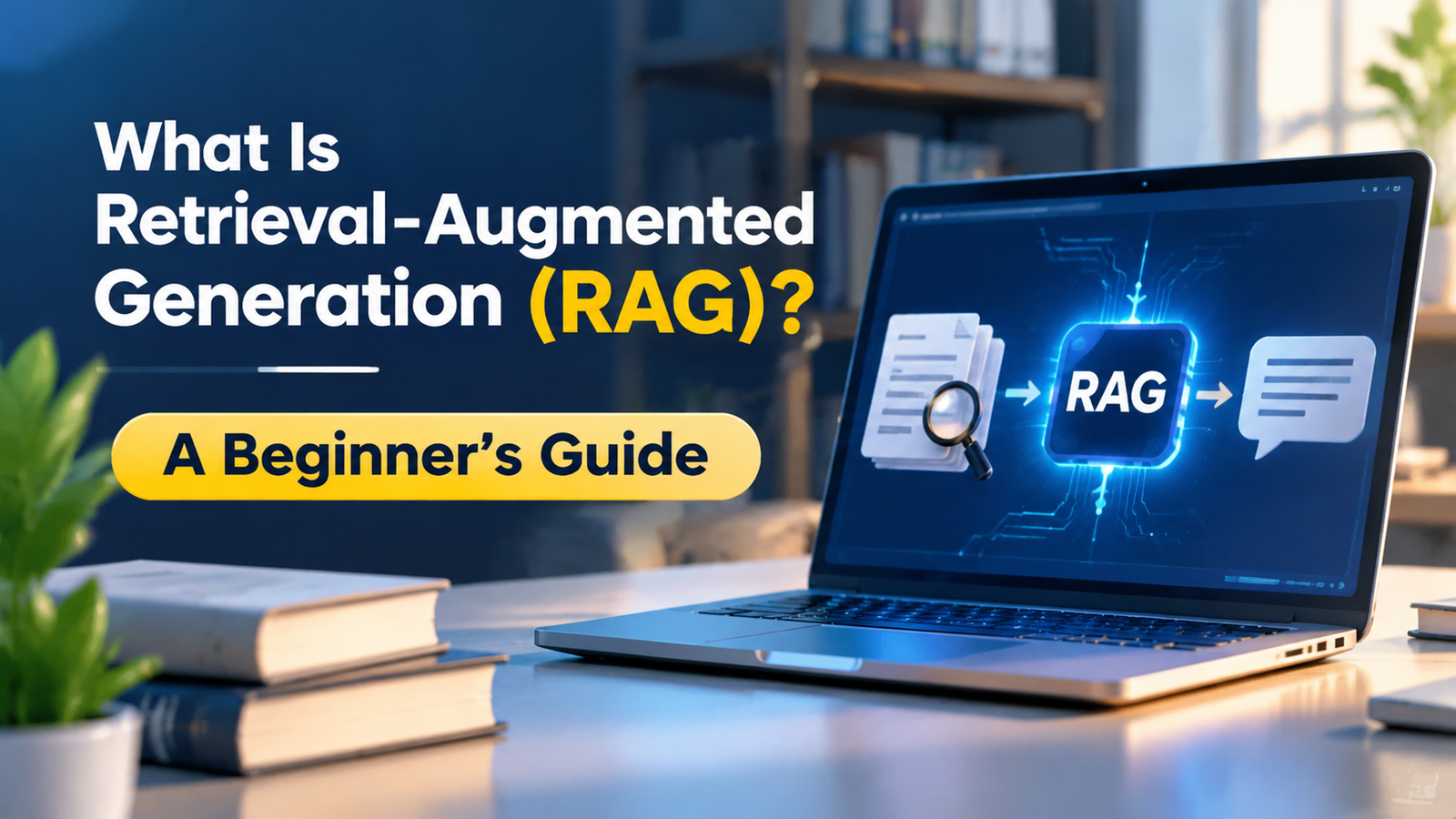
What Is Retrieval-Augmented Generation (RAG)? A Beginner’s Guide
Retrieval-Augmented Generation (RAG) is an AI method that helps large language models (LLMs) give better answers by finding useful information from external sources before generating a response. It connects an AI model to trusted data, so the model can use relevant facts instead of relying only on what it learned during training.
Think of it as giving an AI assistant access to a library. Instead of answering every question from memory, it first looks up useful information and then uses that information to create an answer.
This makes RAG useful for chatbots, business tools, customer support systems, research platforms, and many other AI applications. But how does it work, and why is it becoming an important part of modern AI systems?
Let’s break it down.
What Is RAG in AI?
RAG stands for Retrieval-Augmented Generation. It is a way to improve AI responses by combining two main tasks: information retrieval and text generation.
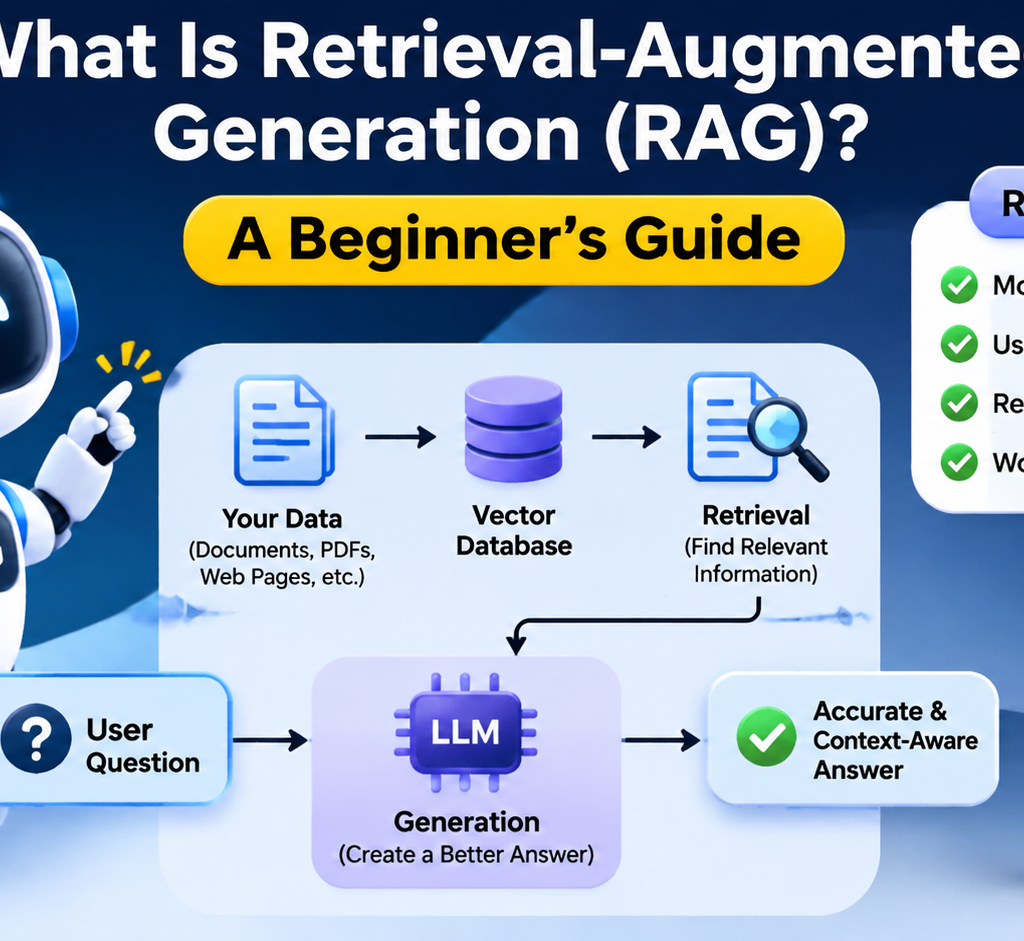
First, the system searches a collection of documents or other data for information related to a user’s question. Then, it sends the most useful results to a large language model (LLM). The model uses that information to prepare a response.
Traditional AI models often answer questions based on patterns and knowledge learned during training. RAG adds another source of information that can be updated without retraining the entire model.
The Three Main Parts of RAG
A basic RAG system has three important parts:
- Retrieval: Finds useful information from a connected data source.
- Augmentation: Adds the retrieved information to the user’s question as context.
- Generation: Uses an LLM to create a clear answer based on the question and retrieved content.
These parts work together to make AI responses more relevant to the information available to the system.
How Does RAG Work?
The RAG process starts when a user asks a question. The system searches its knowledge base, finds useful information, and passes that information to an LLM.
Here is a simple example.
Imagine you run an online store. A customer asks:
“Can I return a product after 15 days?”
Your AI chatbot does not need to guess the answer. It can search your store’s return policy, find the relevant rule, and explain it to the customer.
Step-by-Step RAG Pipeline
A typical RAG pipeline has two main phases: preparing information and answering questions.
Phase 1: Preparing the data
- Collect data: Gather useful files, PDFs, web pages, product details, FAQs, and company documents.
- Clean the data: Remove duplicate, outdated, or irrelevant information.
- Split into chunks: Break large documents into smaller sections. This makes it easier to find specific information.
- Create embeddings: Convert each text section into a numerical representation called an embedding.
- Store the data: Save the text, embeddings, and useful details in a searchable database.
Phase 2: Answering a question
- Receive a query: A user enters a question into the AI application.
- Search for information: The system finds relevant text from its knowledge base.
- Rank the results: It can sort the results to place the most useful information first.
- Add context: The system places the selected information alongside the user’s question.
- Generate an answer: The LLM reads the context and writes a response.
- Return the result: The user receives an answer that is based on the retrieved information.
Introduction to RAG (Retrieval-Augmented Generation) – Coder Legion
This process allows an AI system to use information that was not part of its original training data. The exact steps can vary based on the application and retrieval method. Microsoft Learn+2
Understanding RAG Architecture
RAG architecture describes how the different parts of a RAG system work together. It connects a data source, a retrieval system, and an AI language model.
A basic RAG architecture contains five main components.
1. Data Sources
These are the places where the system gets information. They may include:
- PDF files and Word documents.
- Company databases.
- Product catalogs.
- Help center articles.
- Websites and internal knowledge bases.
- Reports and research papers.
The quality of these sources matters. If the original information is wrong or outdated, the system may retrieve poor answers.
2. Embedding Model
An embedding model turns text into numbers that represent its meaning. These numerical values help the system find text with a similar meaning.
For example, a user might search for “How can I get my money back?” The system may also find a document titled “Customer Refund Policy.”
The words are different, but the meaning is close.
3. Vector Database
A vector database stores embeddings and helps the system search for related information. It can find content based on meaning rather than exact word matches.
Some systems also use keyword search or a combination of both methods.
4. Retriever
The retriever searches the stored information and selects useful results for the user’s question.
It may use similarity scores, filters, and ranking methods to find the best matches.
5. Large Language Model (LLM)
The LLM receives the user’s question and the retrieved information. It then creates a natural language response.
The model does not need to be retrained every time the knowledge base changes. The system can update its stored information and retrieval index instead. CSRC+2
What Is a Vector Database in RAG?
A vector database is a type of database designed to store and search numerical representations of data called vectors.
In RAG, it helps find information that is close in meaning to a user’s question.
For example, consider these two sentences:
- “How do I change my account password?”
- “Steps to reset your login details.”
A basic keyword search may not treat these sentences as a close match. A vector search can identify their similar meaning through embeddings.
Why Does RAG Use Vector Databases?
Vector databases help RAG systems:
- Find information based on meaning.
- Search large collections of text.
- Retrieve related documents quickly.
- Support semantic search.
- Store embeddings with document details.
A vector database is not required for every RAG system. Some systems use keyword search, database queries, or hybrid search instead.
Important: A vector database does not understand or write answers like an LLM. Its main job is to help find relevant information.
RAG vs LLM: What Is the Difference?
RAG and LLM are related, but they are not the same thing.
An LLM is an AI model that understands and generates language. RAG is a system design that connects an LLM to external information.
| Feature | Traditional LLM | RAG System |
|---|---|---|
| Main function | Generates text | Retrieves information and generates text |
| Knowledge source | Training data and provided context | Training data plus retrieved information |
| Private data access | Requires supplied context or integration | Can retrieve connected private data |
| Knowledge updates | Often require model updates or new context | Can update the knowledge base |
| Search capability | Not built into every model | Includes a retrieval process |
| Source references | Not guaranteed | Can provide source references |
| Setup | Can be simple | Requires retrieval and data setup |
Can RAG Work Without an LLM?
Yes, retrieval can work without an LLM.
For example, a search engine can find documents and display matching results without generating a natural language answer.
However, a typical RAG application combines retrieval with an LLM. This lets the system turn retrieved information into a clear and useful response.
RAG vs Fine-Tuning
RAG is also different from fine-tuning.
Fine-tuning changes a model’s behavior by training it further on selected examples. RAG gives the model relevant information at the time of a query.
| RAG | Fine-Tuning |
|---|---|
| Retrieves external information | Updates model behavior through training |
| Useful for changing knowledge | Useful for specialized tasks and response styles |
| Can update a knowledge base | Usually requires another training process for updates |
| Does not need to change model weights | Changes model weights |
| Needs a retrieval system | Needs training data and computing resources |
These approaches can also work together. A fine-tuned model can use RAG to access current or private information.
Benefits of RAG
RAG offers several useful benefits for businesses and AI developers. Its main strength is that it gives an LLM access to relevant information beyond its original training data.
1. More Relevant Answers
RAG provides information related to the user’s question. This helps the model produce responses that fit the topic and available evidence.
2. Access to Private Information
Businesses can connect RAG systems to their own documents, reports, product details, and internal knowledge bases.
This is useful when an AI assistant needs information that is not publicly available.
3. Easier Knowledge Updates
You can update the knowledge base without retraining the entire language model.
For example, an online store can add new product details or change its return policy. The retrieval system can then use the updated information after the relevant data has been reprocessed and indexed.
4. Reduced Risk of AI Hallucinations
AI hallucinations happen when a model generates information that sounds correct but is false or unsupported.
RAG can reduce this risk by giving the model relevant source material. However, it cannot guarantee correct answers. The model may still misunderstand the retrieved content or use poor sources.
5. Better Business Support
Companies can use RAG to answer questions about internal processes, company policies, products, and customer services.
6. More Useful Source References
A well-designed RAG system can show which documents support an answer. This helps users check the information instead of trusting every response without question.Google Cloud+2
RAG Applications: Where Is It Used?
RAG applications are useful whenever an AI system needs to answer questions using specific or frequently updated information.
Here are some common examples.
1. Customer Support Chatbots
A customer support chatbot can search product manuals, refund rules, delivery policies, and FAQs.
For example, a customer may ask when an order will arrive. The system can retrieve the relevant order information and provide a response, if it has access to the order database.
2. Healthcare Information Systems
Healthcare organizations can use RAG to search approved medical documents, clinical guidelines, and internal policies.
For example, a healthcare assistant could retrieve a relevant section from a hospital procedure document. Such systems need strong privacy controls and expert review.
3. Education and Learning
Educational platforms can connect AI assistants to course notes, textbooks, lesson plans, and study materials.
Students can ask questions and receive explanations based on the content provided by their teachers.
4. Legal Research
Law firms can use RAG to search contracts, legal documents, case records, and internal research files.
It can help locate relevant sections, but legal conclusions still need review by qualified professionals.
5. E-commerce
Online stores can use RAG to answer questions about products, sizing, shipping, returns, and warranties.
It can also help employees search product catalogs and internal sales information.
6. Business Knowledge Management
Companies often store information across many files and systems. RAG can make it easier for employees to find useful information through a single AI-powered search tool.
RAG Implementation: How to Build a Basic System
You do not need to build a complex AI model from scratch to implement RAG. You can connect an existing LLM to a searchable collection of your own data.
Here is a simple implementation plan.
Step 1: Define Your Goal
Start by deciding what you want your AI application to do.
For example:
- Answer customer questions.
- Search company documents.
- Explain product information.
- Help employees find internal policies.
A clear goal helps you choose the right data and retrieval method.
Step 2: Collect and Prepare Your Data
Gather the documents your system will use. These may include PDFs, text files, spreadsheets, or database records.
Remove duplicate information and check that the content is accurate and up to date.
Step 3: Split Documents into Chunks
Large documents need to be divided into smaller sections.
For example, a 100-page employee handbook can be split into sections about leave, salaries, workplace rules, and benefits.
Keep related information together so the retriever can return useful context.
Step 4: Create Embeddings
Use an embedding model to convert each text chunk into a numerical vector.
These vectors help the system compare the meaning of different text sections.
Step 5: Store Data in a Searchable Database
Save the embeddings and their related text in a vector database or another suitable search index.
Keep useful details such as document names, page numbers, and access permissions.
Step 6: Connect an LLM
Connect your retrieval system to an LLM.
When a user asks a question, the application retrieves relevant information and sends it to the model with clear instructions.
Step 7: Test and Improve the System
Test the system with real questions that users may ask.
Check whether it:
- Retrieves the correct information.
- Gives answers based on the retrieved content.
- Handles questions with missing information.
- Provides accurate source references.
- Protects private and restricted data.
Do not judge a RAG system only by how natural its answers sound. Check whether its retrieved evidence is relevant and whether its final answers are supported.
Common Challenges and Limitations of RAG
Although RAG can improve AI applications, it does not solve every problem.
Understanding its limitations is important before using it in a business or production environment.
| Challenge | Why It Matters | Possible Solution |
|---|---|---|
| Poor data quality | Incorrect data can lead to incorrect answers | Clean and review source documents |
| Weak retrieval | The system may find unrelated information | Improve embeddings and search methods |
| Poor chunking | Important context may be lost | Test different chunk sizes |
| Outdated information | Old documents may produce old answers | Update and re-index data |
| Slow responses | Extra search steps can increase response time | Optimize retrieval and caching |
| Privacy risks | Sensitive information may reach the wrong user | Apply access controls and permissions |
| Hallucinations | The model may still create unsupported claims | Use grounding instructions and answer checks |
Can RAG Give Wrong Answers?
Yes. RAG does not guarantee accuracy.
For example, if a company uploads an old refund policy, the AI may retrieve that policy and give an outdated answer.
Similarly, if the retriever finds an unrelated document, the LLM may use it as context and produce a misleading response.
The best way to improve results is to maintain good source data, test retrieval quality, and check whether answers match the evidence.
Best Practices for Building a Good RAG System
A successful RAG system needs more than a good language model. Its performance depends on the quality of its data, retrieval process, and answer generation.
Follow these practices:
- Use reliable data: Add accurate, relevant, and regularly updated documents.
- Choose suitable chunk sizes: Keep related information together without making chunks too large.
- Use effective search methods: Combine keyword and vector search when your data requires both.
- Add reranking: Reorder retrieved results to improve relevance.
- Protect private data: Make sure users can only retrieve information they are allowed to access.
- Test with real questions: Check retrieval quality and answer accuracy before launch.
- Monitor performance: Track response quality, search speed, and system costs.
One important point is often missed: a powerful LLM cannot fix a poor retrieval system. If the system finds the wrong information, even a strong model may produce a weak answer.
Frequently Asked Questions About RAG
1. What does RAG stand for in AI?
RAG stands for Retrieval-Augmented Generation. It is an AI method that retrieves information from external sources and gives it to an LLM to help generate relevant answers.
2. How does Retrieval-Augmented Generation work?
RAG works by searching a knowledge base, retrieving relevant information, adding it to the user’s question, and sending both to an LLM. The model then uses that context to generate an answer.
3. Does RAG reduce AI hallucinations?
Yes, RAG can reduce hallucinations by providing relevant source information. However, it cannot remove them completely because the model may still misunderstand the retrieved content or generate unsupported details.
4. Is a vector database necessary for RAG?
No. A vector database is common in RAG systems, but it is not always required. Some systems use keyword search, traditional databases, or hybrid retrieval methods.
5. What is the difference between RAG and fine-tuning?
RAG retrieves external information when a user asks a question. Fine-tuning trains an existing model further to change its behavior or improve performance on specific tasks. Both methods can be used together.
Conclusion
Retrieval-Augmented Generation is an important approach to building AI systems that need access to specific, private, or frequently updated information.
Its real value comes from connecting the language skills of an LLM with useful source material. This makes it possible to build AI assistants that can search business documents, answer product questions, and support users with information from selected knowledge sources.
However, good results depend on more than the technology itself. Reliable data, effective retrieval, proper security, and regular testing are all essential.
For beginners, the best way to understand RAG is to start with a small document collection and build a simple question-answering system. This gives you a practical view of how retrieval and generation work together.